30 Days FREE Trial  ·  No credit card required  ·  Free onboarding & data migration included
Platform Tour

Everything your dental practice needs, in one place

From patient intake to treatment planning, billing to inventory, SmileCare replaces the patchwork of tools your clinic relies on today. Twenty-five integrated modules working together seamlessly — run your entire clinic from a single dashboard.

🔒 HIPAA-Aware Security ☁️ 100% Cloud-Based 📊 Real-Time Analytics 📱 Works on Any Device No Installation Needed
Why SmileCare

Built for the way modern dental practices work

Smart scheduling, complete patient records, integrated billing, and powerful permissions — every piece connected, nothing duplicated.

📅

Smart Scheduling

Calendar, queue, and waiting list views with recurring appointments, follow-up booking, and automated patient reminders.

🦷

Complete Patient Records

Full medical and dental history, allergies, medications, insurance details, vitals, clinical notes, and document management.

💳

Integrated Billing

Create invoices with line items, discounts, and tax. Accept cash, card, bank transfer, insurance, and online payments. Print professional invoices and receipts.

📋

Treatment Planning

Build treatment plans with procedures and progress notes. Track estimated vs. actual costs. Automatic follow-up reminders on completion.

💊

Digital Prescriptions

Create, digitally sign, and print prescriptions with full medication tracking. Original and reprint logging for compliance.

🔐

Role-Based Access Control

Five roles with granular permissions across 17 modules. Control exactly what each team member can view, create, edit, delete, approve, export, and print.

📦

Inventory Management

Track dental supplies with low-stock alerts, stock movement history, expiry tracking, and supplier management.

🔬

Lab Work Tracking

Track cases sent to external labs with full status workflow, overdue alerts, and case history timelines.

📈

Analytics & Reports

Six report types covering patients, appointments, revenue, profit & loss, inventory, and doctor performance. Export to PDF with one click.

Patient Surveys

Collect star-rated feedback after appointments. Track satisfaction trends with analytics dashboards, category breakdowns, and recommendation rates.

🎨

Customizable Branding

Choose from 6 elegant color schemes to match your clinic's identity. Change the entire look — buttons, headers, and accents — instantly with one click. No code required.

And 14 More Modules

Clinical Notes, Vitals, Documents, Clinical Photos, Quotations, Expenses, Lab Work, Doctors, Services, Audit Logs, Settings, and more — all included.

Platform Tour

Explore every module of SmileCare

Real screenshots from the live application. Click any image to see it in action on the live demo site.
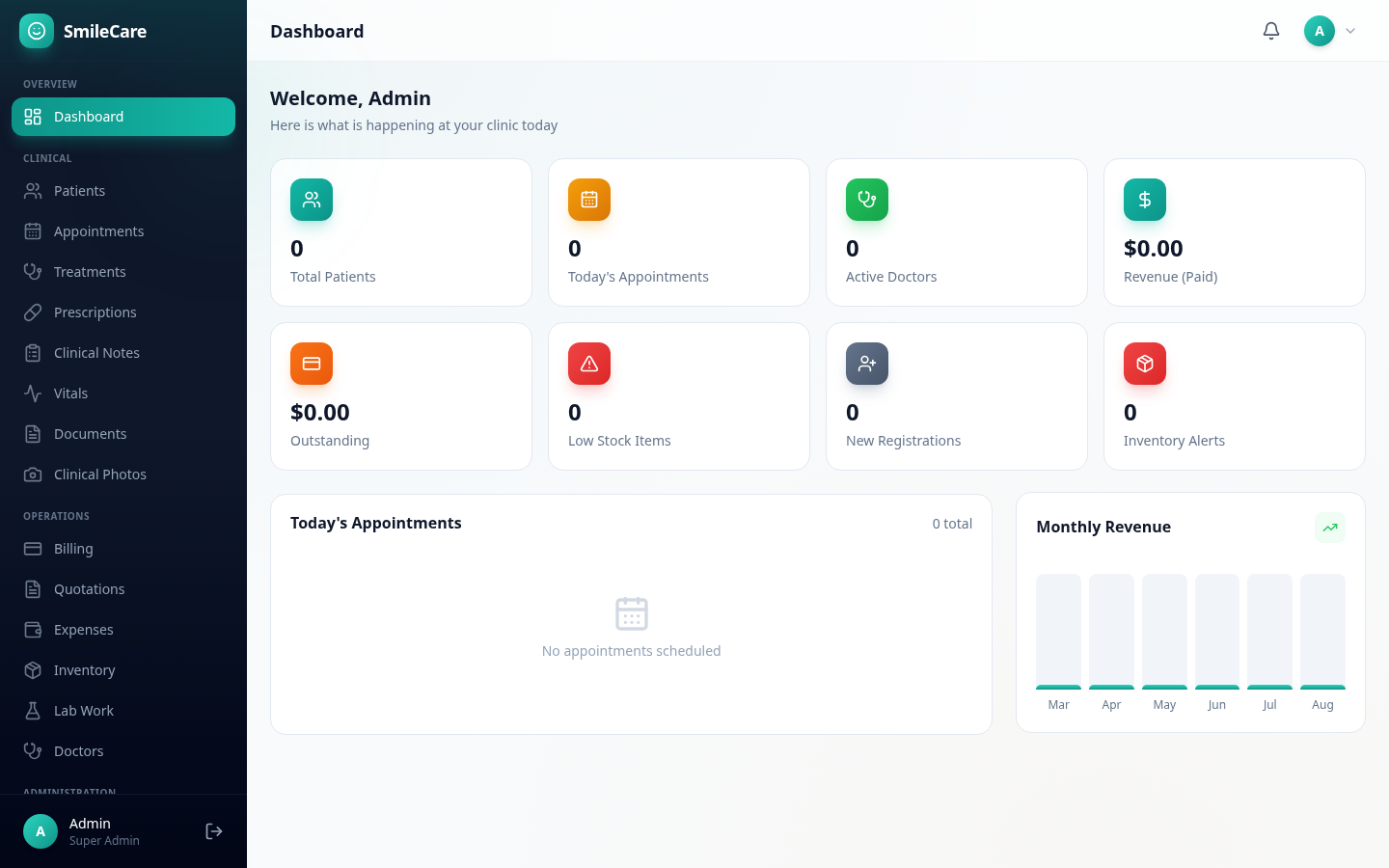
01 · Dashboard SmileCare dashboard showing patient statistics, appointments overview, and revenue charts
Module 01

Dashboard

Your command center. See total patients, today's appointments, revenue collected, outstanding balances, low-stock alerts, and recent registrations — all at a glance.

  • Real-time clinic-wide statistics
  • Today's appointments overview
  • Monthly revenue chart
  • Recent patient registrations
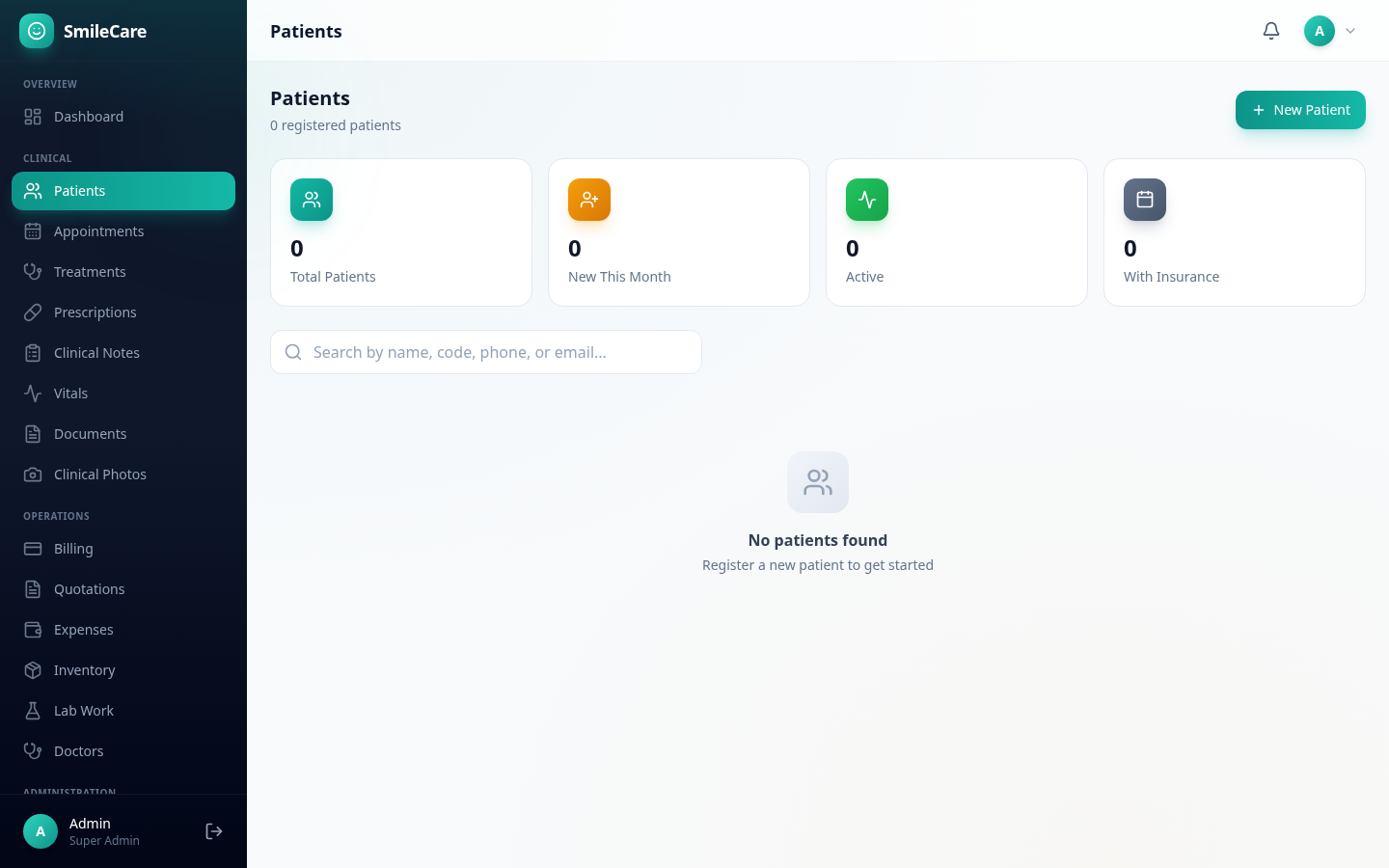
02 · Patients SmileCare patient management page with patient cards and search
Module 02

Patients

A complete patient registry with auto-generated patient codes, comprehensive registration forms, and a full detail page consolidating every interaction.

  • Full medical, dental, and lifestyle history
  • Emergency contact and insurance details
  • Dedicated patient detail page with all records
  • Search by name, code, phone, or email
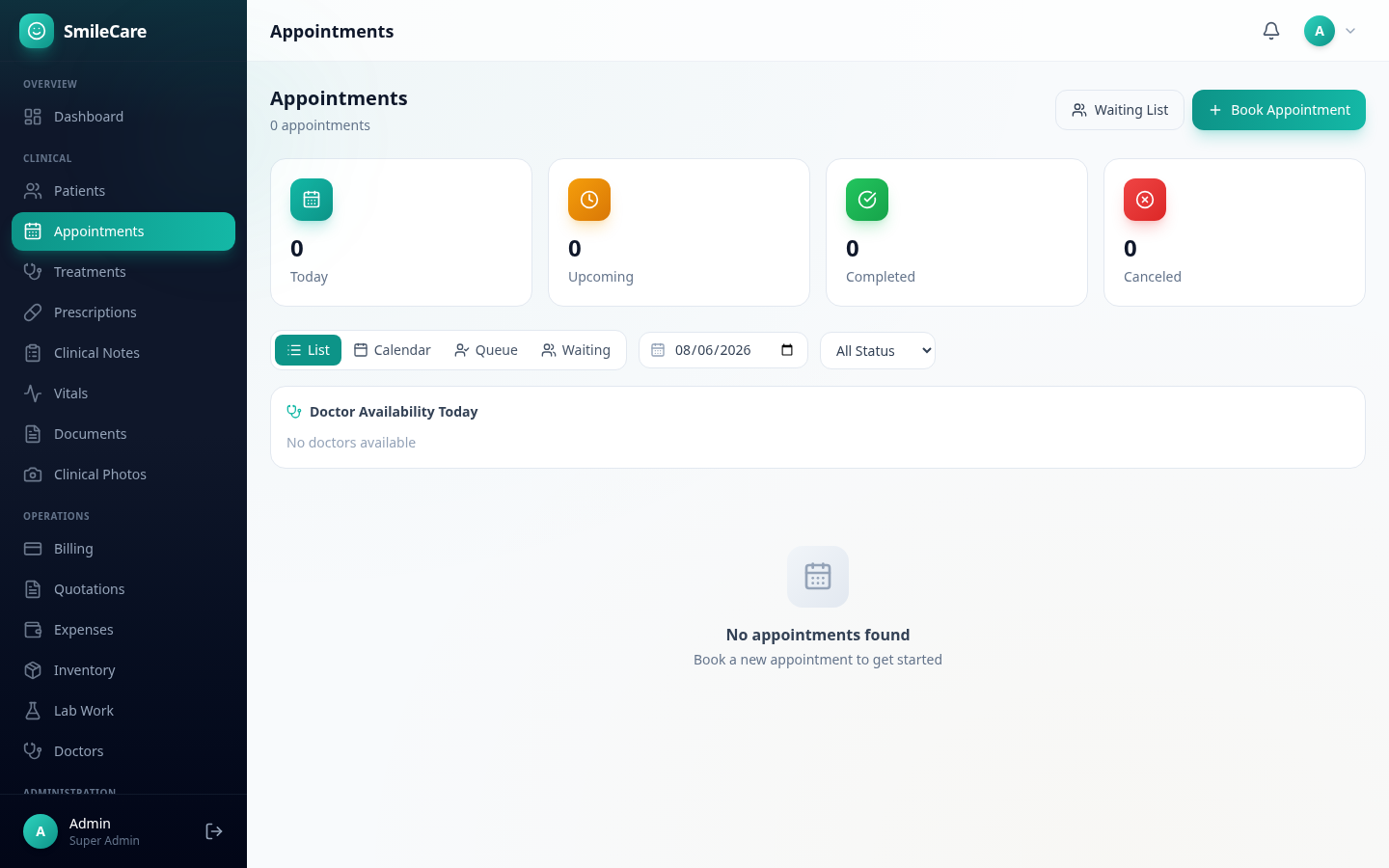
03 · Appointments SmileCare appointment scheduling with calendar, queue, and waiting list views
Module 03

Appointments

Four powerful views — List, Calendar, Queue, and Waiting List — to manage your clinic's schedule the way that works for you.

  • Recurring appointments and follow-up booking
  • Full status workflow: Schedule → Confirm → Check In → Complete
  • Doctor availability panel
  • Automated patient reminders
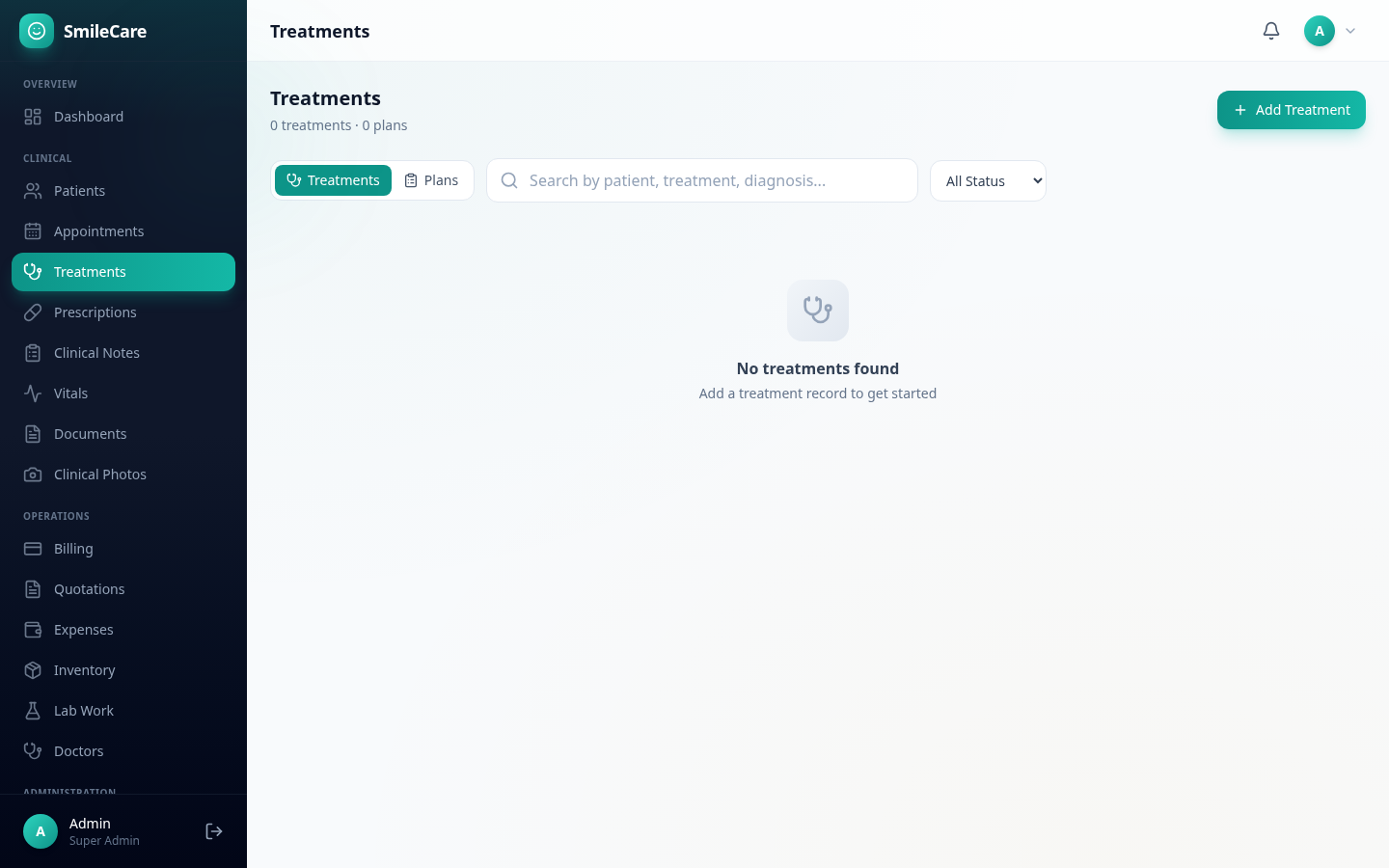
04 · Treatments SmileCare treatment management with treatment plans and progress notes
Module 04

Treatments

Manage individual treatment records and broader treatment plans with procedures, progress notes, and cost tracking.

  • Procedures with status tracking
  • Progress notes (observation, complication, adjustment)
  • Estimated vs. actual cost comparison
  • Automatic follow-up notifications
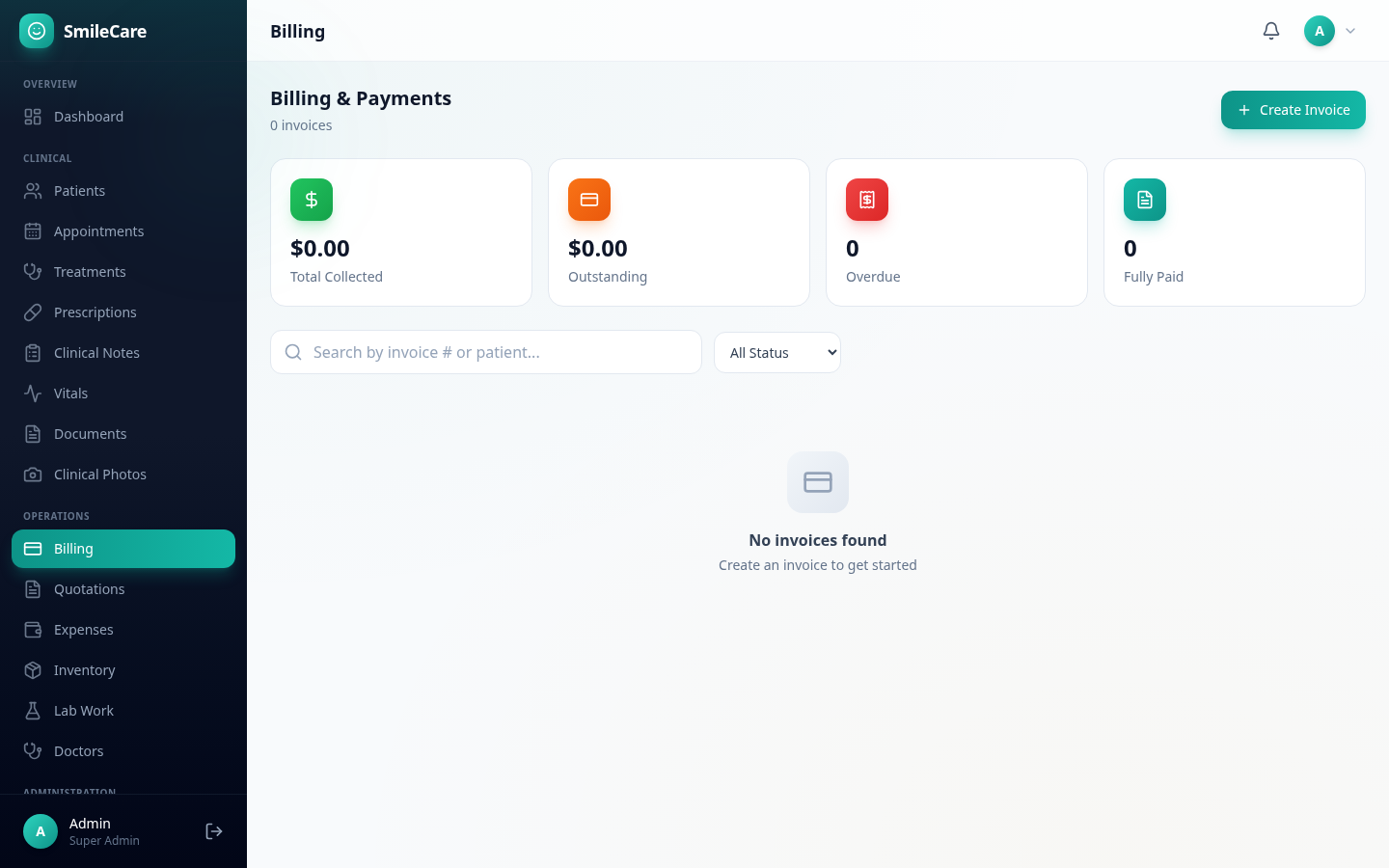
05 · Billing SmileCare billing system with invoices, payments, and printable receipts
Module 05

Billing

A complete invoicing and payment system. Create invoices with line items, discounts, and tax. Record payments through multiple methods and print professional documents.

  • Invoices with categorized line items
  • Cash, card, bank transfer, insurance, and online payments
  • Printable invoices and receipts
  • Outstanding balance tracking
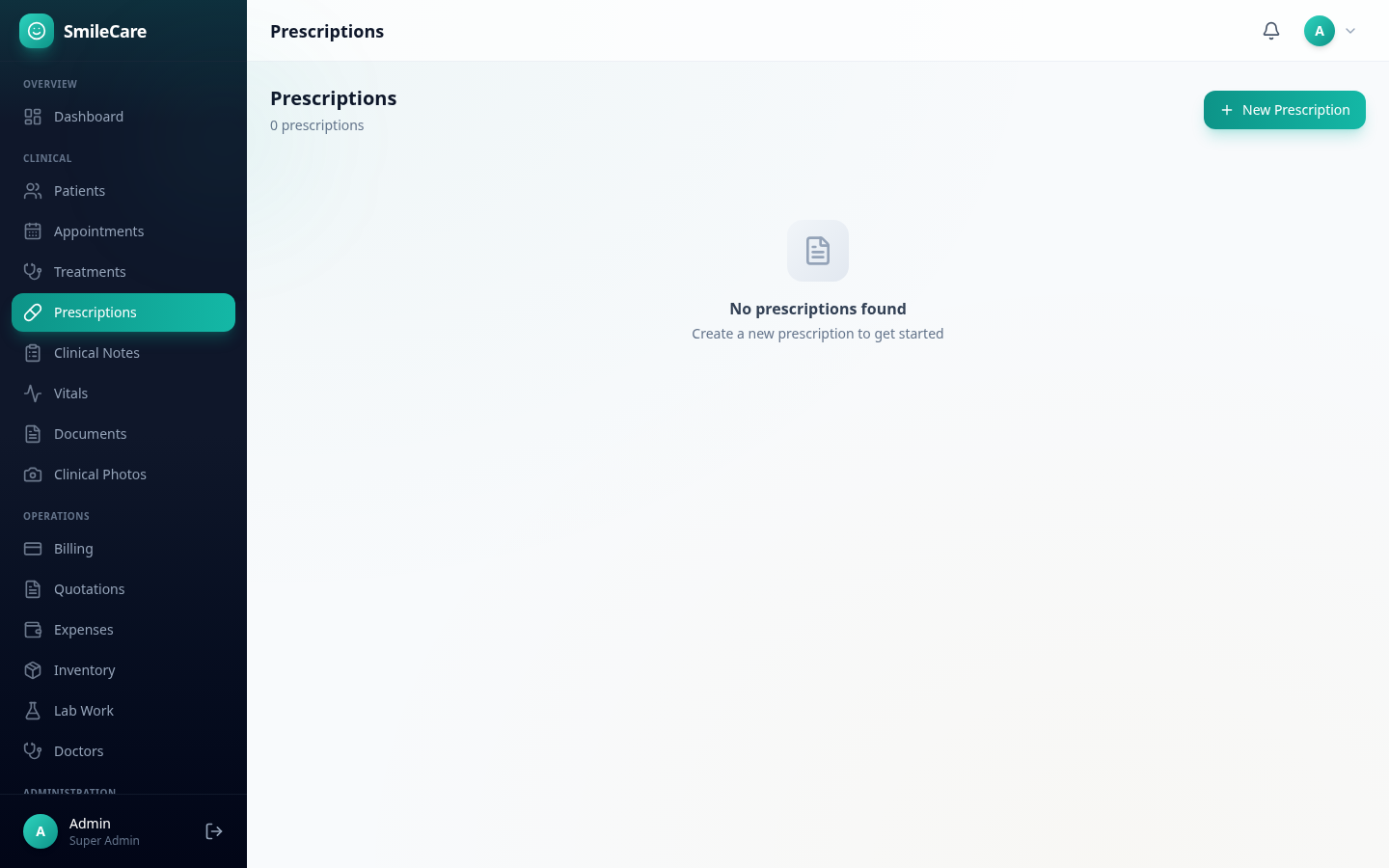
06 · Prescriptions SmileCare digital prescription management with signing and print tracking
Module 06

Prescriptions

Digital prescriptions with digital signing, printable documents, and full print history tracking for compliance.

  • Digital signature with credentials
  • Printable prescription documents
  • Original vs. reprint logging
  • Automatic patient notifications
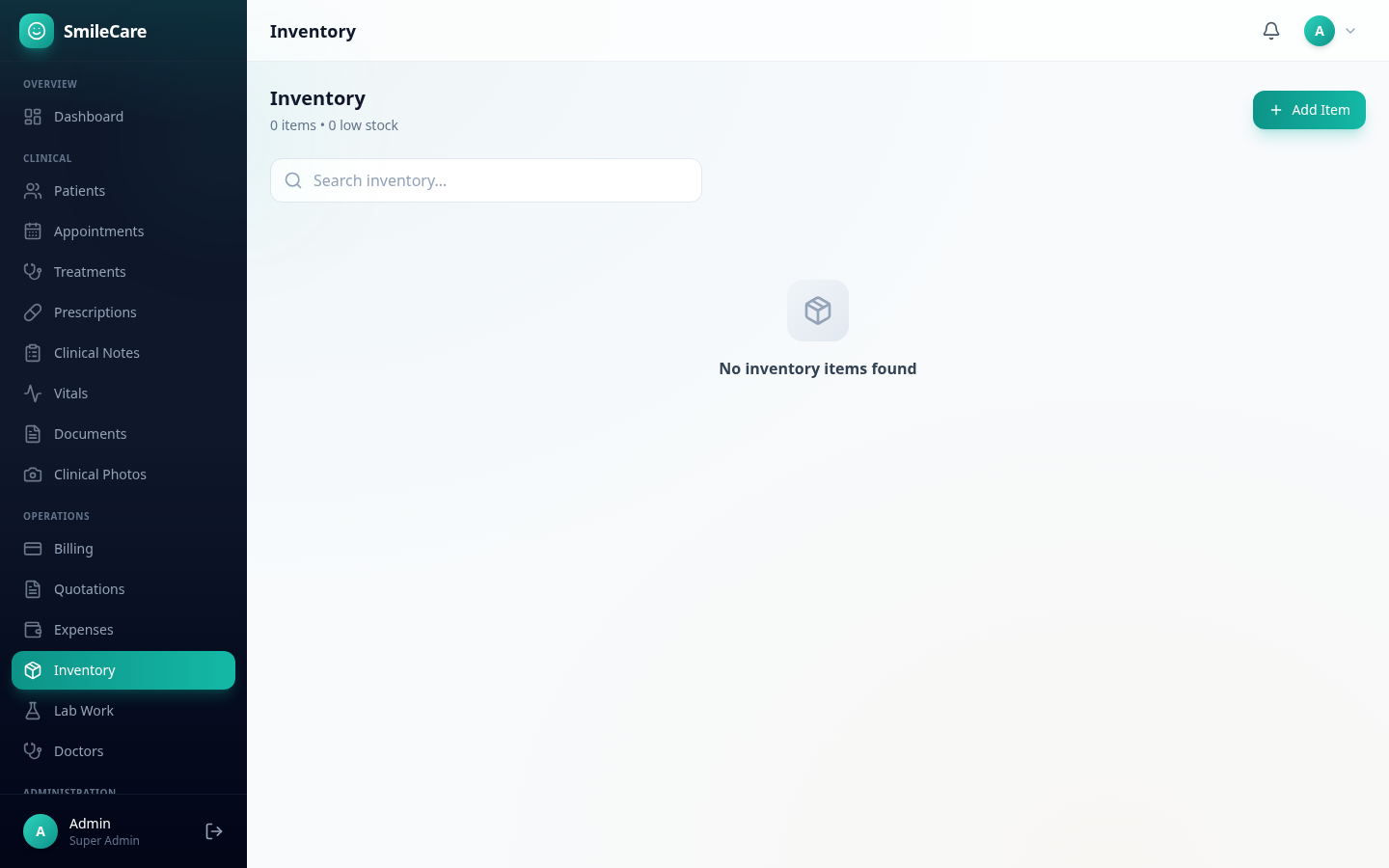
07 · Inventory SmileCare dental inventory management with low-stock alerts
Module 07

Inventory

Track dental supplies with automatic low-stock alerts, stock movement history, and expiry date monitoring.

  • Low-stock alert banners
  • Stock in/out/adjustment movement logging
  • Expiry date tracking
  • Supplier management
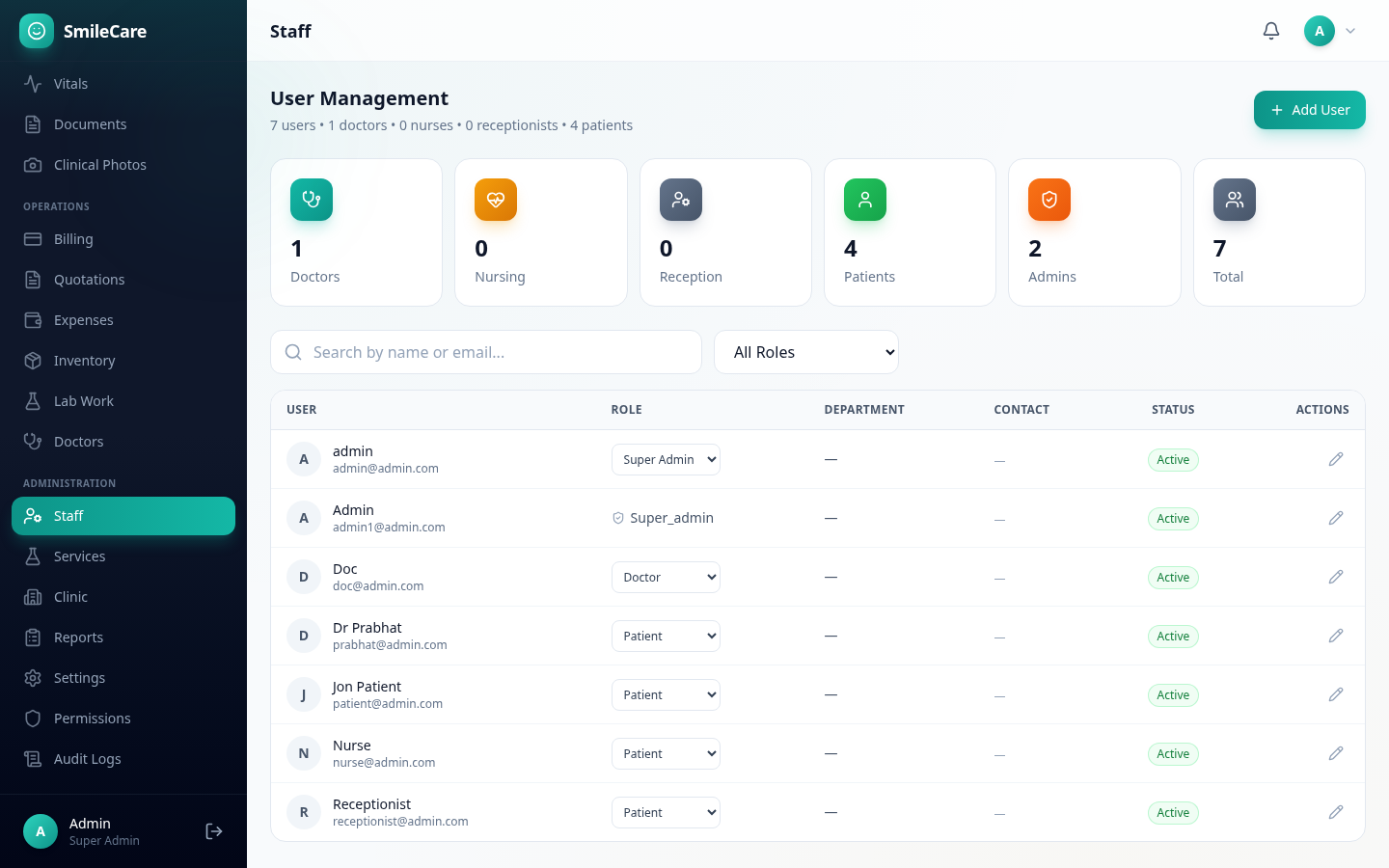
08 · Staff SmileCare staff management with user accounts and role assignment
Module 08

Staff Management

The central hub for managing all user accounts. Create accounts, change roles, activate or deactivate users, and edit profiles.

  • Create user accounts with role assignment
  • Inline role changes
  • Activate/deactivate users
  • Edit profiles and staff details
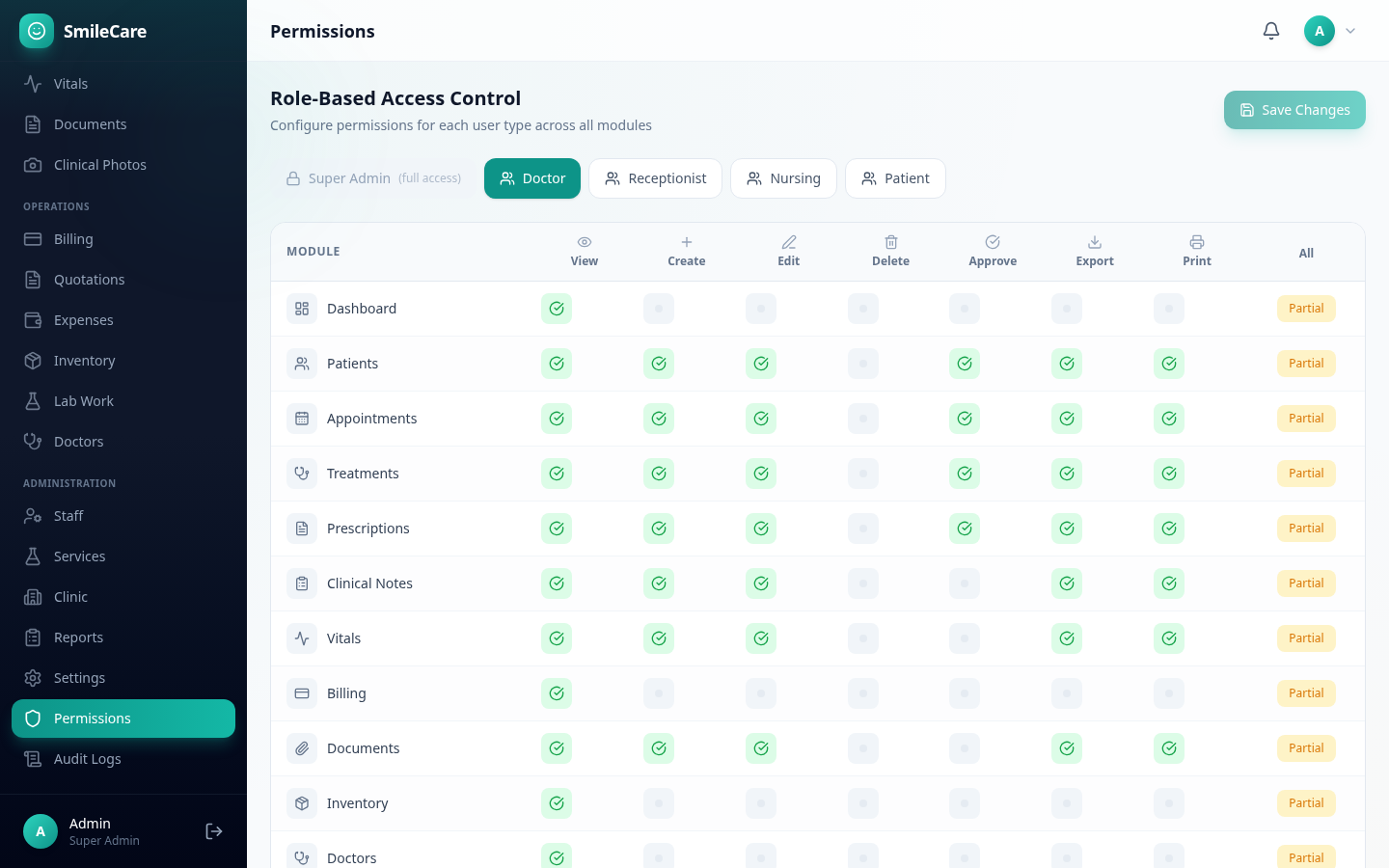
09 · Permissions SmileCare role-based access control permission matrix
Module 09

Permissions

A powerful role-based access control matrix. Five roles, 17 modules, seven permission types — control exactly what each team member can do.

  • Granular per-module permissions
  • View, create, edit, delete, approve, export, print
  • Reset to defaults with one click
  • Super Admin always has full access
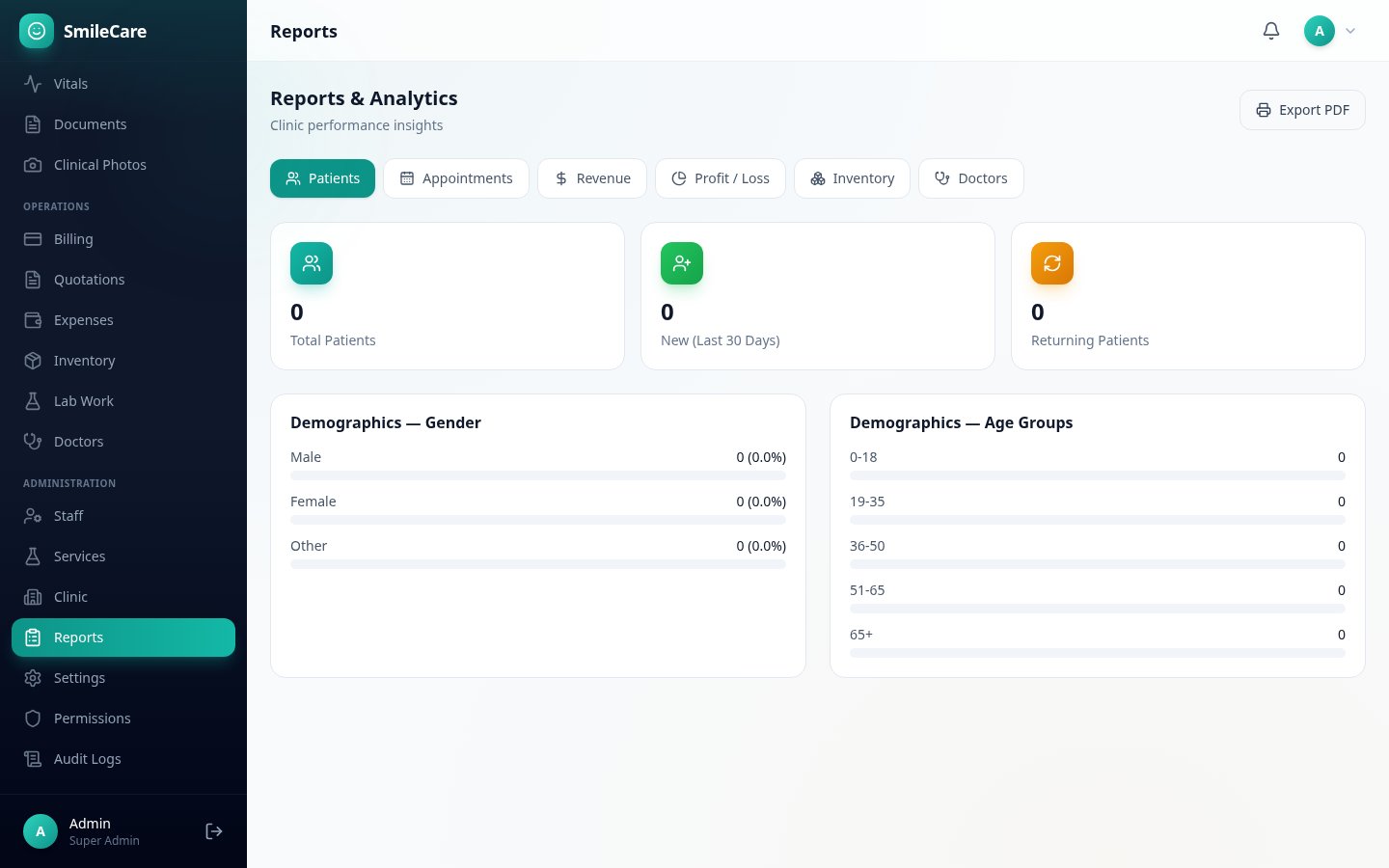
10 · Reports SmileCare analytics and reports dashboard with charts and PDF export
Module 10

Reports

Six comprehensive report types with one-click PDF export. Understand your clinic's performance at every level.

  • Patients, appointments, revenue, P&L, inventory, doctors
  • Visual charts and breakdowns
  • One-click PDF export
  • Doctor performance metrics
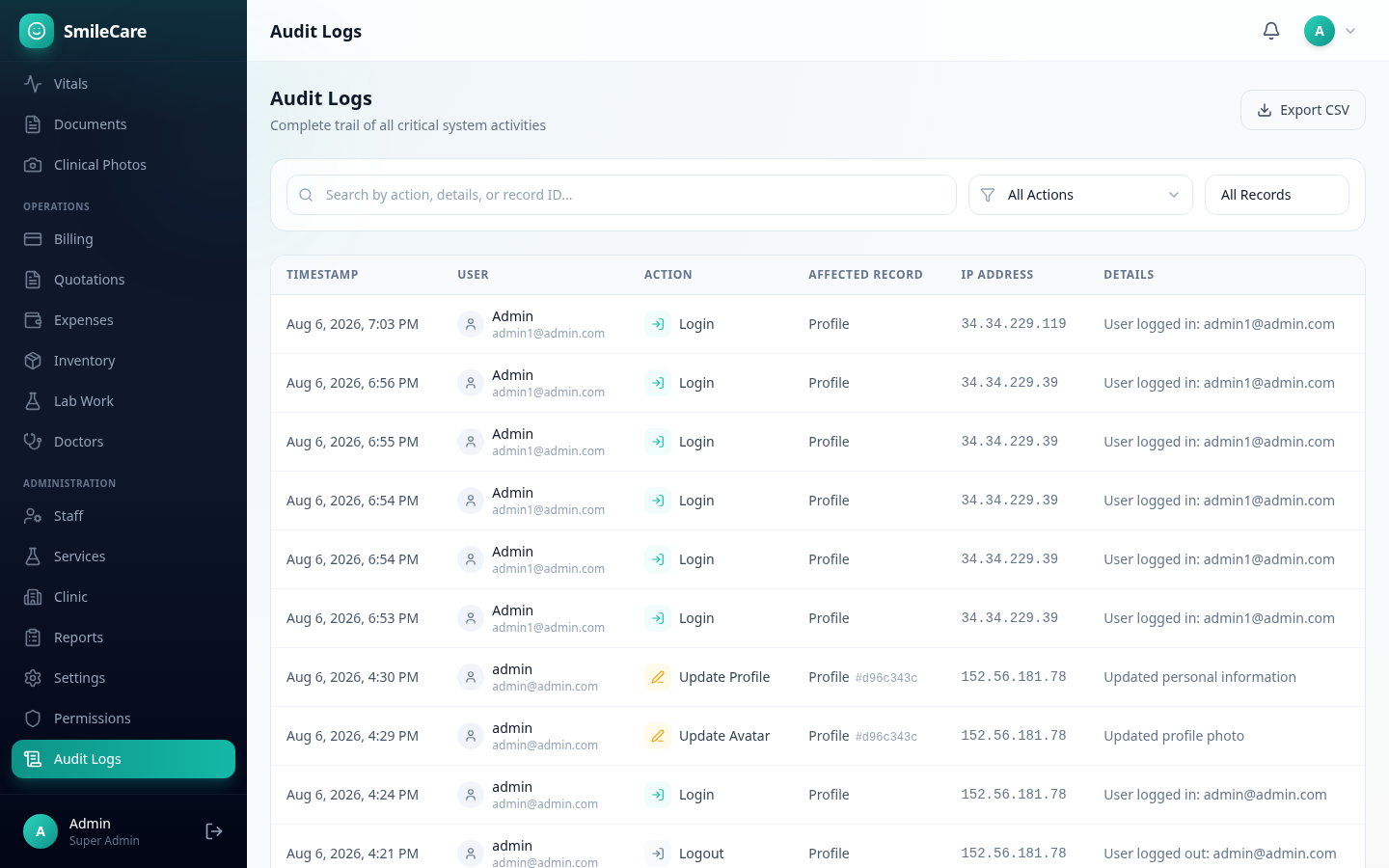
11 · Audit Logs SmileCare audit log viewer with searchable activity trail
Module 11

Audit Logs

Complete activity trail of every critical system action. Searchable, filterable, and exportable for full accountability.

  • Every action recorded with user and timestamp
  • Search and filter by action type and entity
  • CSV export for compliance reporting
  • Super Admin exclusive access
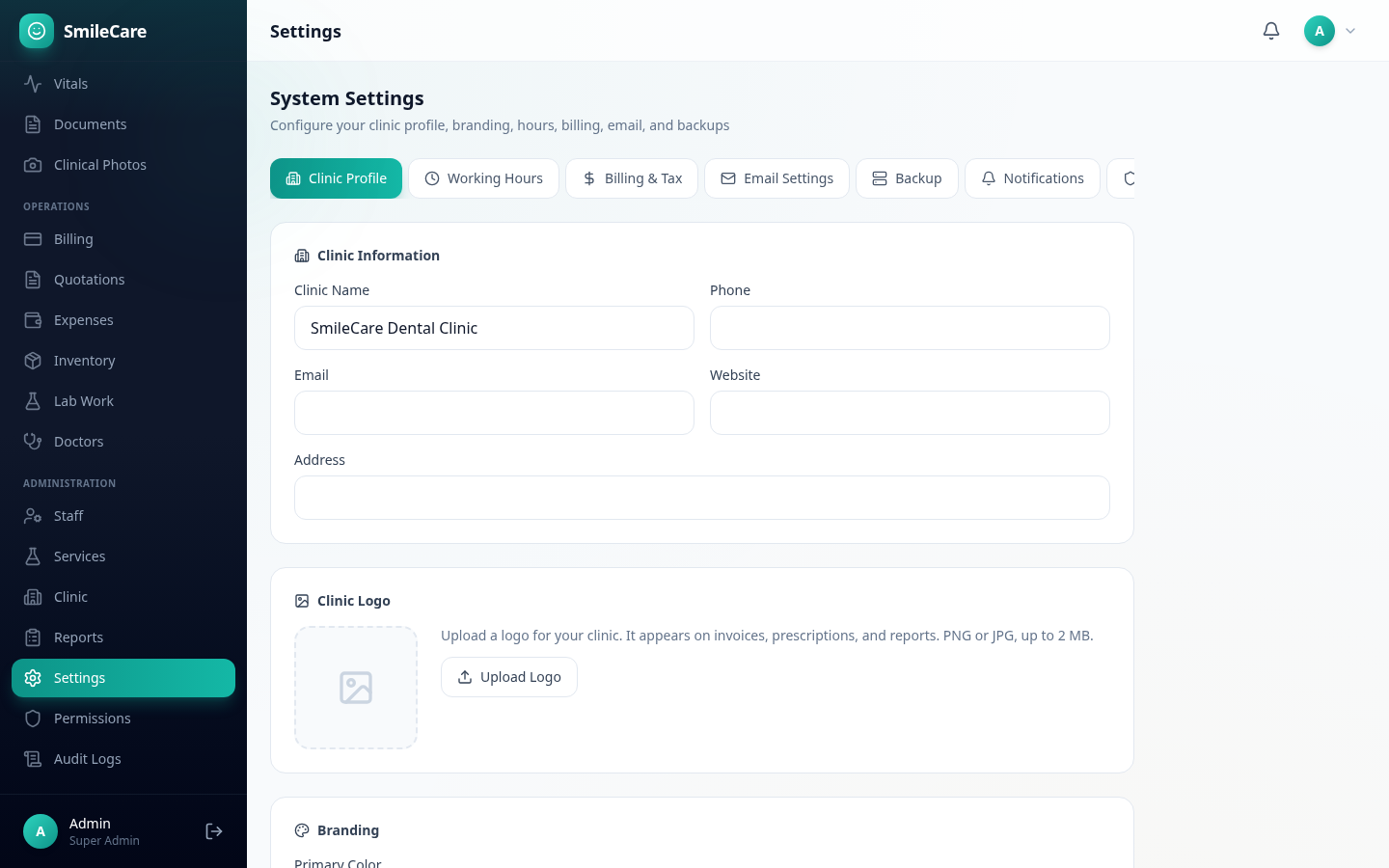
12 · Settings SmileCare system settings with clinic profile, billing, email, and module toggles
Module 12

Settings

Eight configuration tabs covering everything from clinic branding to security. Turn modules on or off for your entire clinic.

  • Clinic profile, logo, and brand color
  • Billing, tax, and currency settings
  • Email SMTP and notification preferences
  • Module toggles and session security
13 · Surveys SmileCare patient satisfaction surveys with rating analytics
Module 13

Patient Surveys

Collect and analyze patient satisfaction feedback. Patients rate their visits with star ratings across multiple categories, and staff get a full analytics dashboard.

  • Star ratings for overall experience and sub-categories
  • Rating distribution and category breakdown charts
  • Recommendation rate tracking
  • Satisfaction tab in Reports for trend analysis
25
Integrated Modules
5
User Roles
49%
No-shows cut
99.9%
Uptime Guarantee

See SmileCare in action

The best way to understand SmileCare is to try it. Explore the live demo with sample data, or start your 30-day free trial — no credit card required.

Explore Live Demo Start Free Trial